




 " alt="">

















Row Level Security
One dashboard. Controlled access, down to each data record.
Give corporate, regional leads, and location managers the same source of truth, filtered to what each of them are allowed to see. No duplicate dashboards. No manual permission spreadsheets.
Same board, two people, different data
The rule of thumb: if two people open the same board but should see different data, that's Row Level Security. If it's enough to keep certain people out of certain boards entirely, standard permissions already have you covered.
Standard permissions
Role + board access
Same board · “Revenue by Location”
Manager A
Manager B
Board access is on or off
Two people on the same board see the exact same data.
Row Level Security
Filtered at the data layer
Same board · “Revenue by Location”
Manager A
Manager B
Filtered at the data layer, AskCorral included
Same board, same AI. Each person only ever sees their slice.
 Controlled Views
One source of truth, many views
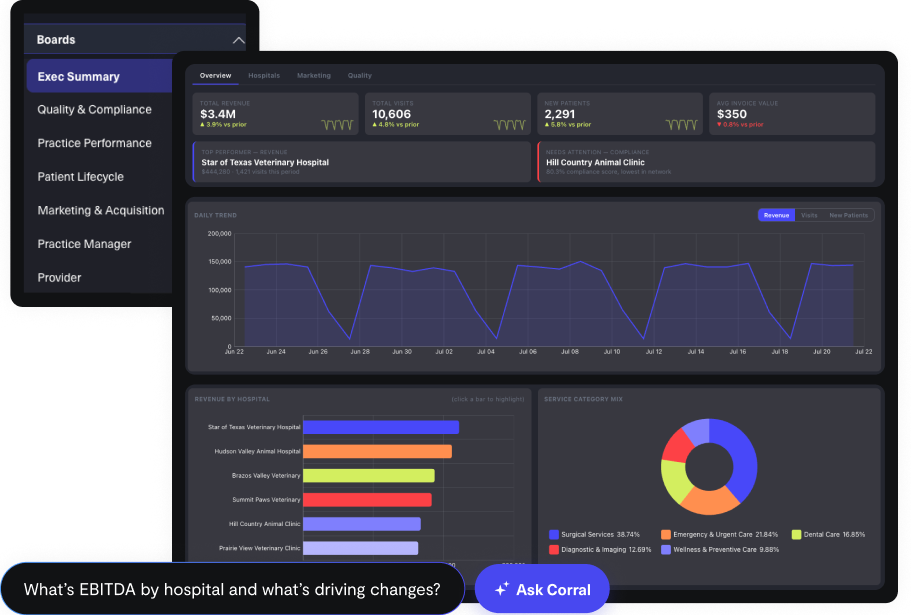
All boards live in a single account. Security rules decide who sees which rows of data, not which version of a board to open. A practice manager and a corporate exec can open the exact same board and each sees only their scoped data. If someone tries to access data outside their permissions, they get no results. The data is there, they're just not allowed to see it.
Monthly revenue
 Governed all the way to the chat
AskCorral respects the same boundary
AskCorral only answers from what a user is authorized to see. If a dataset is out of scope, it says so and points them to the right person, instead of guessing, sampling, or working around the restriction.
Enterprise-ready from day one
Row Level Security isn't a config project you own. It's how CorralData handles permissions everywhere, from day one.

Built for scale
Easy to skip at three dashboards. Painful to retrofit at three dozen. Setting permissions at the data layer early means you're never going back to patch security onto a sprawl of duplicated reports.

Enterprise-grade security & compliance
HIPAA readiness and SSO come standard on every account. Row Level Security builds on that same foundation, so a location or regional view never drifts from the numbers corporate reports on.

Governed by default, not something you build
Most BI platforms make you build this yourself. We set it up during onboarding, enforced at the data layer from day one, so your team gets precise, auditable permissions instead of a project to maintain.
Trusted by franchises, PE roll-ups, and multi-location healthcare brands










Frequently asked questions
It's what controls which rows of data a person can see inside a shared dashboard, not just which dashboards they're allowed to open. Two people can look at the exact same board at the same time and each see their own correctly scoped slice of the data.
Good rule of thumb: if two people need to open the same board but should see different data, that's Row Level Security. If it's enough to keep certain people out of certain boards entirely, standard permissions already have you covered.
Think of role permissions as the door to the room: they decide whether someone can open a board or query a table at all. Row Level Security is what they get to see once they're standing inside, the same table, filtered down to just their rows.
Both. Row Level Security is enforced at the data layer, so AskCorral and any AI or API access, including CorralData MCP, which connects tools like Claude and ChatGPT to your CorralData data, follow the same boundaries your dashboards do. There's no side door around it.
It's included in the Enterprise plan and available as an add-on for our per-integration or per-location plans. Let our team know if you want Row Level Security added and we'll put together a quote for your setup.
We set it up during onboarding, defined at the data layer rather than something your team has to configure or maintain. Because it needs to be scoped before your data model is built, it's worth raising early, ideally during the sales process or right at your onboarding kickoff.
No, and that's by design. Everyone keeps opening the same boards, on the same schedule, built the same way. All the complexity of scoping rows to the right person lives underneath, in the data layer, where your team never has to think about it.
Experience the power of actionable intelligence
Make your data work for you. Book a demo today to see CorralData in action.