



 " alt="">


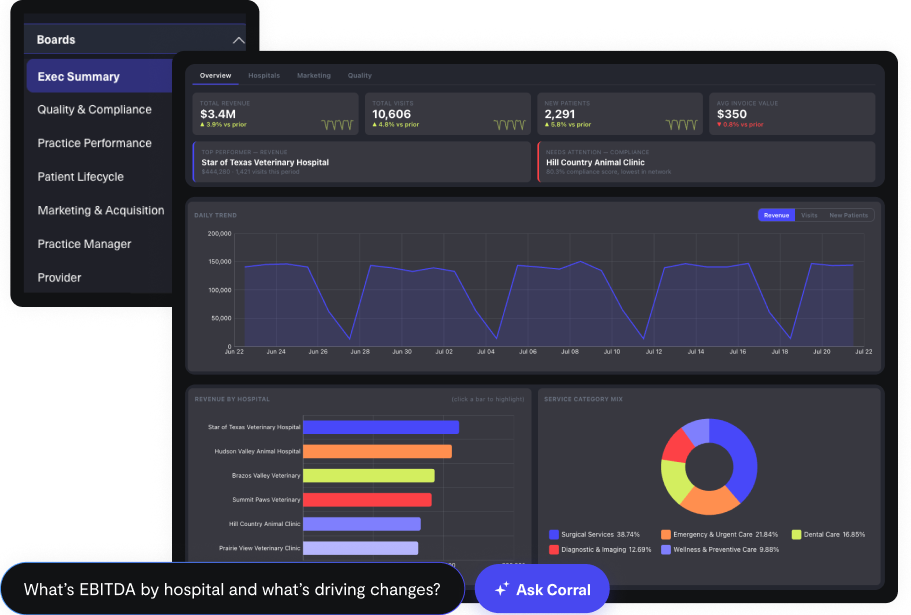















In a franchise network, data does real jobs. It determines what each franchisee pays the franchisor (corporate) in royalties, shows how each location is performing, and tells corporate where to step in and support. In practice, each location tends to run its own software and keep its own books, so reports arrive late, in different formats, and on different definitions. Franchisors cannot see across the network, and owners cannot see how they compare.
A shared analytics system fixes that. It connects the systems franchisees already use and applies one set of metric definitions across the network. This guide covers what the system has to do for each audience, who should see what, and how access works. Separate sections then cover what franchisors should decide and do, and what franchisees should ask and do.
What the system has to do for each audience
The shared view has to work for three types of audiences, and each wants something different from the data. This table shows what each is trying to learn about the business, and works as a checklist when evaluating an analytics platform or setup.
| Audience | The questions they are asking | What they need to see | What to confirm with any analytics platform or setup |
|---|---|---|---|
| Franchisor (corporate) | Which locations are underperforming, and is the brand healthy? | Every location side by side, on the same definitions: revenue, bookings, retention, marketing spend against results | Can every location be compared on one definition, even when they use different systems? |
| Franchise owner | How is this location doing, and where does it stand against the network? | Own numbers in full, plus benchmarks that do not identify other owners | Can an owner see only the locations that owner runs, and can benchmarks be shown without naming anyone? |
| Franchise business coach (an advisor to owners, either a corporate employee or an outside consultant) | Which owners need a call this week, and about what? | A portfolio view with a short list of KPIs per location, flagged by change against target | Can a coach see only assigned locations, and does the view flag who needs a call? |
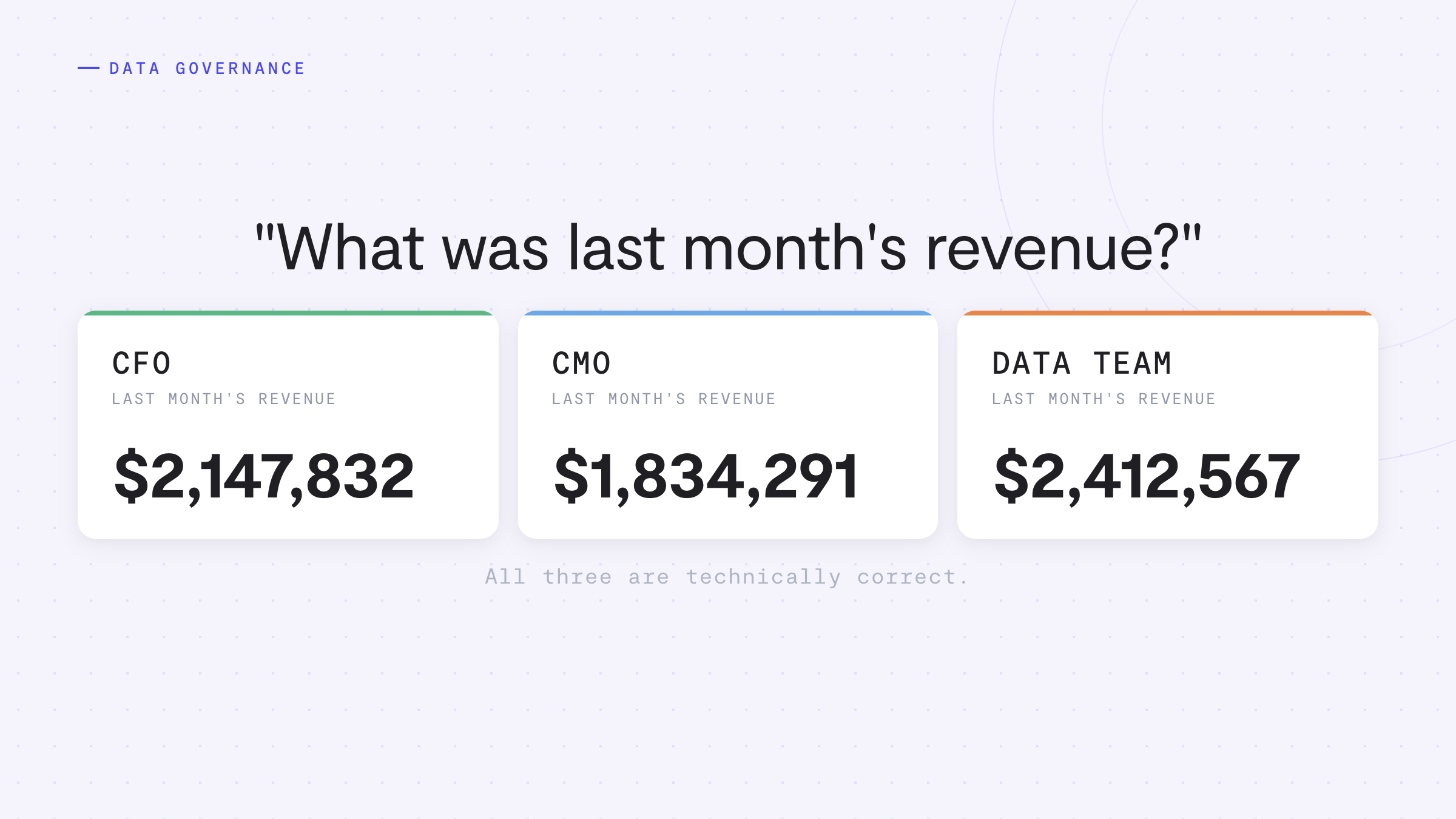
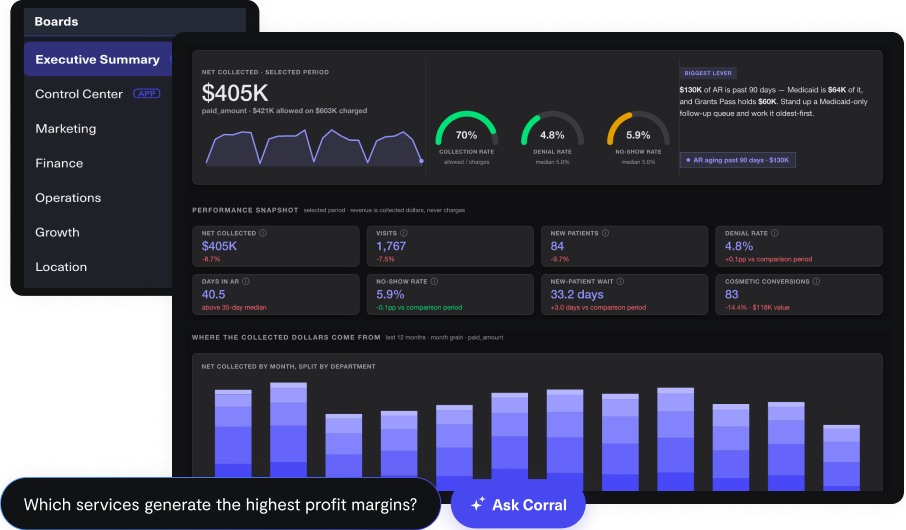
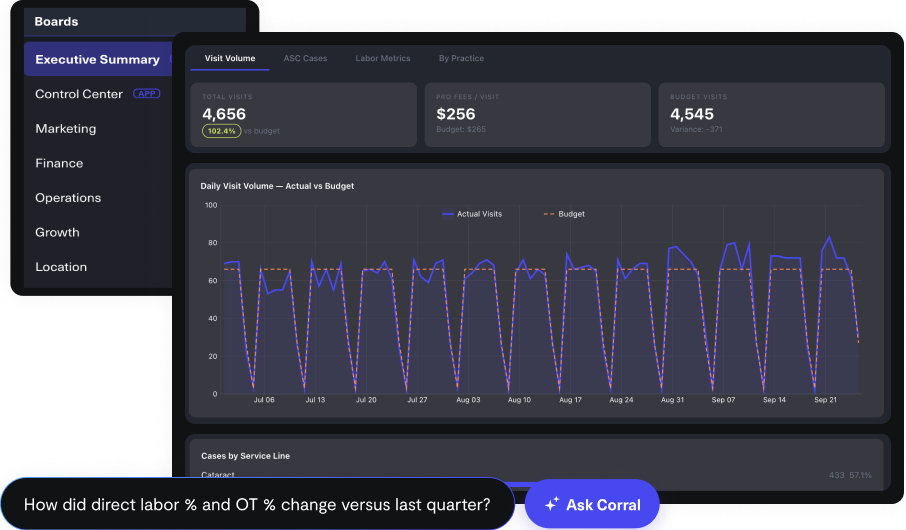
What this looks like in practice: three views of one set of data. The examples below use a fictional dermatology franchise with 18 locations. Click on each image to expand the view.
Franchisor (corporate) sees every location on one set of definitions, with sales, field visits, mystery shops (scored visits by someone posing as a patient), and P&Ls on one page, and the problems no single system would show.
A franchise owner sees only the owner's locations, with anonymous network ranges instead of named peers, plus the location's P&L and team.
A franchise business coach sees only assigned locations, ranked by who needs a visit, with a brief and suggested agenda for each and whether past action items moved the numbers.
Who should see what
On a shared analytics platform, the franchisor gets the full roll-up of key metrics across the network, coaches see their assigned locations, and owners see their own locations in full, plus anonymous benchmarks.
That said, check the franchise agreement. It sets what corporate may collect from each location and show to other owners. Build around those limits, with counsel involved.
Recommended default: start with corporate and coaches, then add owners with full detail on their own locations plus anonymous benchmarks. Owners never see other locations.
| Role | Own location | Other locations | Network benchmarks | Change metric definitions |
|---|---|---|---|---|
| Franchisor (corporate) | Full | Full | Full | Yes |
| Franchise business coach | Full, for assigned owners | Assigned portfolio only | Full | No, can suggest changes |
| Franchise owner | Full | None | Anonymized | No |
A few rules make this table hold up in practice:
- Set access on the data, not in each report. Each location is tied to the people allowed to see it, so a new dashboard follows the rule automatically. A filter on one dashboard is a convenience someone can forget to apply. A rule on the data is a control.
- Set a minimum group size for benchmarks. With only two or three locations in a benchmark, an owner can work out a neighbor's numbers. Many teams use five as a floor, to be set with counsel and the data team.
- Lock the definitions. Owners can filter, sort, and build their own views, but the metric underneath stays the same for everyone, so corporate and owner numbers do not drift apart.
- Keep customer-level detail out of the network layer unless it is needed. If locations handle patient or other regulated customer data, aggregates are usually enough for corporate. Anything more needs a clear legal basis and the right agreements first.
For franchisors: choosing and rolling out a shared system
This section is for franchisor leaders deciding whether and how to bring the network onto one analytics system.
Decide early who pays
One planning point surprises many franchisors: in many networks, technology and data are not part of the franchise disclosure document or covered by franchise fees. Royalties and brand fund contributions usually pay for marketing, training, and support, not a shared analytics system. For a large network, say 300 or more locations, footing the bill could be very expensive, so decide early how it gets paid for. There are a few ways to do that:
- Use what is built in. If your agreements already include a technology fee, or the brand fund may cover it, start there. Ask your counsel what those funds can be used for.
- Split the cost with franchisees. Corporate pays a portion of the per-location cost and franchisees pay the rest. Some networks cover more at the start and shift the balance as owners see the value.
- Pass it through to franchisees. Franchisees pay the full cost, as an add-on or as part of a program. This tends to work best with franchisees who run a few locations of their own and can see the value in their own numbers. Fees charged to franchisees are a franchise-law matter, so involve your counsel as well.
Some franchisors work with their analytics vendor on a resale or referral arrangement, so the system is offered to franchisees through the brand and the franchisor earns back part of its investment. CorralData can work this way, and we are glad to talk through what that structure would look like for your network.
Prepare owners to act on the data
Better analytics help owners act, but what they can do with the data depends on their data sophistication. The training, support, and documentation owners receive from corporate can bridge that gap. Check the support already in place:
- Training. Is onboarding and ongoing training documented?
- Operations manual. Is it current?
- KPI documentation. Do critical business KPIs have documentation on how to improve them, and do coaches know when to step in?
If the answer to any of these is no, or there is doubt, that knowledge lives in a few people's heads and leaves when they do. Writing it down is how data, operations, and training become one system instead of three. A good KPI playbook fits on one page: the definition, the healthy range, the trigger that means the KPI is at risk, who responds, and a 30-day plan.
How to start
Start with the questions corporate already asks every month.
- Name the decisions. List the questions corporate and coaches ask most often, and pick one KPI for each. Then write one definition per KPI and have corporate sign off on each.
- Inventory the systems. Find out what locations use for sales, scheduling, marketing, and billing. Look for the two or three systems that cover most locations. If corporate or a franchisor group already runs its own data sets and tools, list those too, because the shared system should connect to them. Note the share of locations each system covers.
- Pick the analytics platform. Decide where the data will live and which tool corporate, owners, and coaches will use before building anything. Use the checklist in the audience table above. For help picking an analytics platform or data stack, read the Buyer's Guide for Data and AI in 2027. Look for a platform that can connect the systems, set access on the data, and show every location on one set of definitions.
- Build the corporate view first in the analytics platform. Connect those systems to it, build the master location list, and produce the network view. Check that the new numbers tie to figures corporate already trusts, such as royalty reports.
- Document how to improve each KPI. For every KPI to be shared, write the one-page playbook described above, with the training or manual section behind it, and give each a named owner.
- Pilot with a few owners and one coach. Choose owners who will tell you plainly what is wrong. A good sign is pilot owners opening it without being asked and reporting bad data when they find it.
- Widen access in tiers. Add owners and coaches using the access table above. For new franchisees, add data-sharing and metric-definition language to the franchise agreement. Existing owners cannot be forced, so show them their own results and let usefulness do the work.
- Add plain-English questions. Once definitions and access rules are stable, owners and coaches can ask questions of the data directly. Adding that earlier mostly multiplies confusion.
Resist the urge to cover every system and every metric in the first pass. A short list of numbers that everyone trusts beats a long list that nobody does.
Mistakes to avoid
- Building dashboards before agreeing on definitions. The dashboards look great and nobody believes them.
- Giving everyone everything on day one. Access is easier to widen than to narrow.
- Rolling out without talking to owners first. Owners who first hear about the system at launch tend to treat it as surveillance. Explain what they get out of it before it goes live.
- Treating setup as a one-time project. Locations change systems, coaches change portfolios, and franchisees come and go, so someone has to own the data after launch, including who maps coaches to locations and what history a new owner inherits.
- Sharing numbers without the training and support to act on them. A red number with no playbook leaves owners guessing and coaches improvising.
For franchisees: what to ask and what to do
This section is for franchise owners and operators. Two situations come up: the franchisor is rolling out analytics to the network, or an owner is looking for analytics without a mandate from the franchisor. The questions differ, so find the one that fits.
If the franchisor is rolling out analytics
An owner in this position is usually asked to connect systems and share data. These questions help decide what is being agreed to:
- What will I see? Ask for own numbers in full, with the definition shown beside each metric, so a number means the same thing to the owner and to corporate.
- Who sees my data? Ask which people at corporate, and which coaches, can see the location, and whether other owners ever can.
- What benchmarks will I get? Ask how network ranges are built and how owners are kept from identifying each other.
- What will it cost me? Ask whether it is covered by existing fees, added on, or split with corporate, and where the franchise agreement allows it.
- What does the agreement say about my data? Ask what corporate may collect and show, and what happens to the data if the system changes or the franchise ends.
- What training and support come with it? A red number is only useful with a playbook for what to do about it.
- Can I keep the systems I already use? A good setup connects to them instead of replacing them.
If an owner is looking for analytics alone
Some franchisees go to an analytics vendor directly, with no franchisor mandate. That is workable, with a few checks first:
- Read the franchise agreement. Look for limits on required systems, approved vendors, and sharing data outside the network.
- Know what the franchisor can see. Confirm whether any reporting to the franchisor runs through the new tool, and keep it to what the agreement requires.
- Start with the location's own systems. Connect scheduling, POS, billing, and marketing, and agree on a short list of KPIs before building anything.
- Plan for benchmarks without a network. Without franchisor data, ask the vendor what comparisons are available.
- Tell the franchisor early. It avoids surprises, and it helps to know how the setup would carry over if the franchisor later standardizes on a system.
- Confirm data ownership and export. The location's data should stay the location's, with a way to take it along.
In both cases, the audience table above works as a checklist for any platform being considered.
Where CorralData fits
CorralData connects 600+ sources, including POS, scheduling, CRM, ad platforms, and billing systems, into one source of truth, so locations can keep the systems they already use. No engineering is required, and the CorralData team handles onboarding. Access is set once, on the data itself, so each owner, coach, and corporate user sees the right slice. AskCorral lets people ask questions of that data in plain English. Where locations handle patient information, CorralData is HIPAA compliant and a BAA is available for every customer.
It works from either starting point: a franchisor bringing on a network, or a franchisee getting analytics for one or several locations.
What CorralData cannot do is make an owner share data the franchise agreement does not require. That is a business and legal decision. What it can do is make sharing worth it, by giving each owner a clear view of their own results. For help comparing vendors, the buyer's guide has eight questions to ask before signing.
See what CorralData looks like on franchise network data
Book a demo and CorralData will show a franchise-style view with franchisor, coach, and owner access on the network's own systems.
Book a Demo